# 插件信息 1、插件前身:https://github.com/mhcyong/Passport; 2、主要更新了一下PHPMailer到最新版本; 3、适配了PHP 8.5和Typecho 1.3.0; 4、重新设计了密码找回和重置界面,使用现代化样式; 5、背景采用了 [imgRun](https://bing.img.run/about.html) 提供的bing每日壁纸端口,实现了每次登录都有不同的背景; 6、开源地址:https://github.com/tianlingzi/TypechoPassport; 7、本站下载:[TypechoPassport-2.0.zip](https://www.tianlingzi.top/admin/extending.php?panel=TypechoAttachmentStore%2Fdownload.php&id=att_2); # 使用帮助 1、上传插件包到 `usr/plugins/` 目录 2、在Typecho后台启用插件 3、配置插件的SMTP信息 4、打开 `admin/login.php` 文件,做以下修改: ```php // 找到这里 <?php if($options->allowRegister): ?> • <a href="<?php $options->registerUrl(); ?>"><?php _e('用户注册'); ?></a> <?php endif; ?> // 在它下面插入以下代码 <?php $activates = array_keys(Typecho_Plugin::export()['activated']); if (in_array('TypechoPassport', $activates)) { echo '<a href="' . Typecho_Common::url('passport/forgot', $options->index) . '">' . '忘记密码' . '</a>'; } ?> ``` 5、保存修改后,登录页面会显示"忘记密码"链接 # 功能特性 - 支持PHP 8.5和Typecho 1.3.0 - 现代化的密码找回和重置界面 - 使用Bing每日壁纸作为背景 - 响应式设计,适配不同屏幕尺寸 - 实时密码强度提示 - 平滑的动画效果 # 注意事项 - 确保SMTP配置正确,否则邮件发送会失败 - 密码重置链接有效期为1小时 # 插件截图: 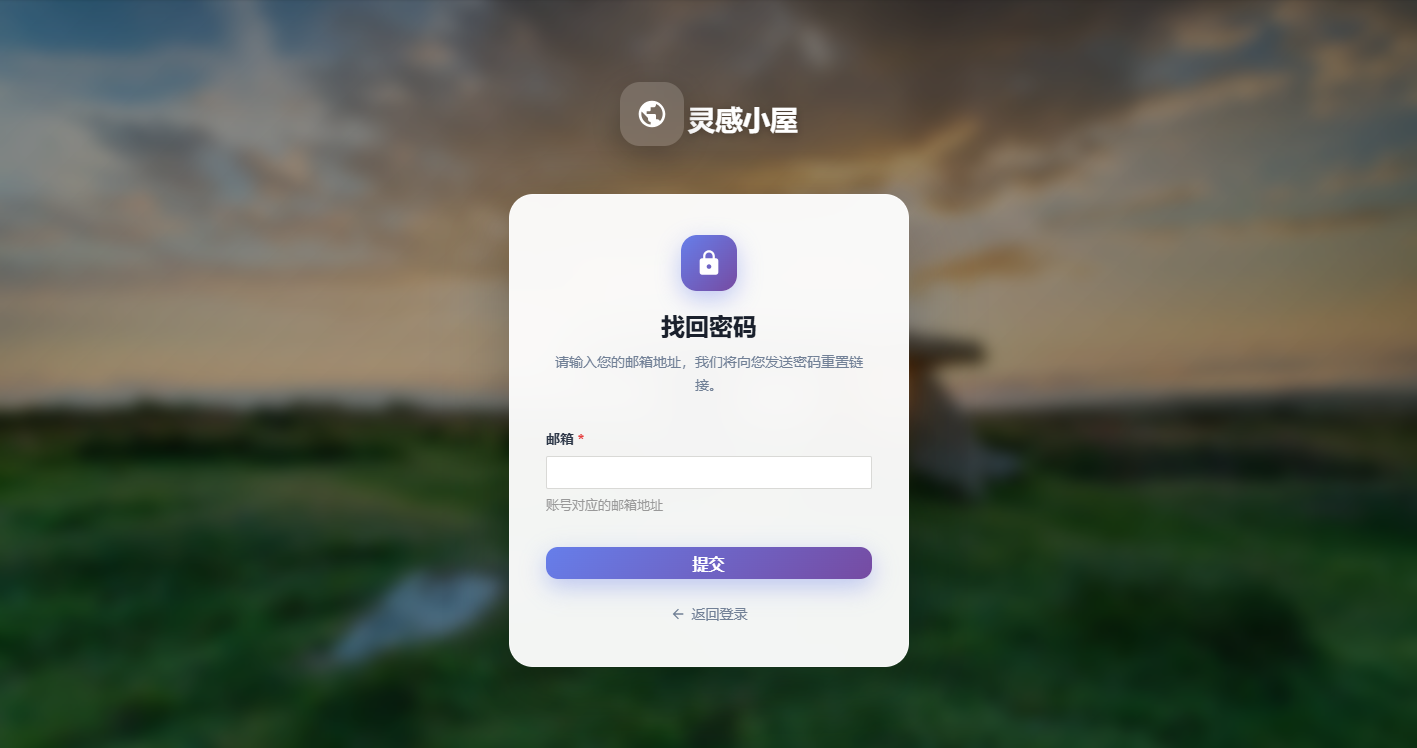 Loading... # 插件信息 1、插件前身:https://github.com/mhcyong/Passport; 2、主要更新了一下PHPMailer到最新版本; 3、适配了PHP 8.5和Typecho 1.3.0; 4、重新设计了密码找回和重置界面,使用现代化样式; 5、背景采用了 [imgRun](https://bing.img.run/about.html) 提供的bing每日壁纸端口,实现了每次登录都有不同的背景; 6、开源地址:https://github.com/tianlingzi/TypechoPassport; 7、本站下载:[TypechoPassport-2.0.zip](https://www.tianlingzi.top/admin/extending.php?panel=TypechoAttachmentStore%2Fdownload.php&id=att_2); # 使用帮助 1、上传插件包到 `usr/plugins/` 目录 2、在Typecho后台启用插件 3、配置插件的SMTP信息 4、打开 `admin/login.php` 文件,做以下修改: ```php // 找到这里 <?php if($options->allowRegister): ?> • <a href="<?php $options->registerUrl(); ?>"><?php _e('用户注册'); ?></a> <?php endif; ?> // 在它下面插入以下代码 <?php $activates = array_keys(Typecho_Plugin::export()['activated']); if (in_array('TypechoPassport', $activates)) { echo '<a href="' . Typecho_Common::url('passport/forgot', $options->index) . '">' . '忘记密码' . '</a>'; } ?> ``` 5、保存修改后,登录页面会显示"忘记密码"链接 # 功能特性 - 支持PHP 8.5和Typecho 1.3.0 - 现代化的密码找回和重置界面 - 使用Bing每日壁纸作为背景 - 响应式设计,适配不同屏幕尺寸 - 实时密码强度提示 - 平滑的动画效果 # 注意事项 - 确保SMTP配置正确,否则邮件发送会失败 - 密码重置链接有效期为1小时 # 插件截图:  最后修改:2026 年 03 月 14 日 © 允许规范转载 赞 如果觉得我的文章对你有用,请随意赞赏